Everything you need stays in view.
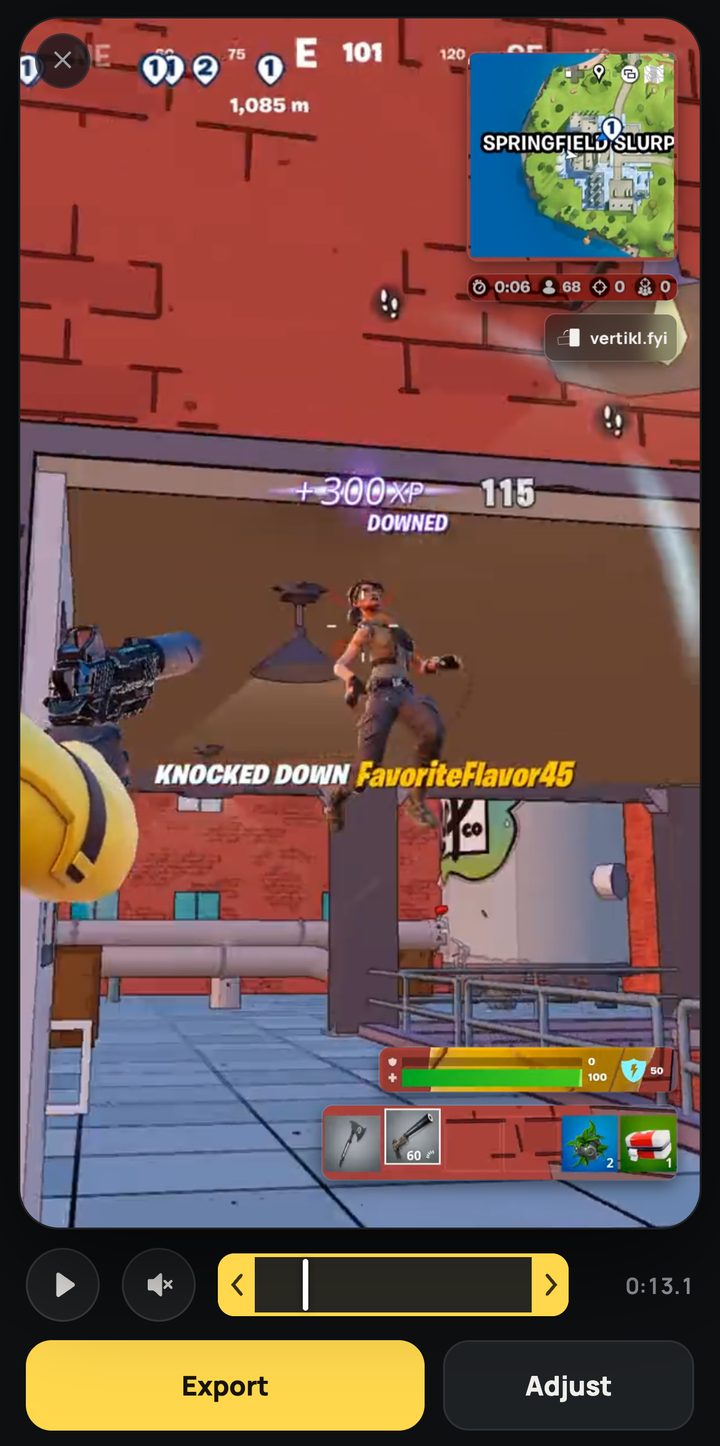
The pieces you play by sit on the vertical video, small and clear, so your clip still makes sense on a phone.
Move the pieces where you want them.
Before you download, drag the minimap, health and weapons to any spot you like.
Clip on your console?
Get it onto your phone first. Here's the quickest way.
Your clips are already in the Xbox app on your phone. Open Captures and save the clip. No Xbox needed.
Turn on Auto-Upload once on your PS5. After that, new clips show up in the PlayStation App, ready to download.
In your Switch album, pick the clip, choose Send to Smartphone and scan the code.
How it works.
- Pick your clipFrom your camera roll or your computer.
- Check where the pieces landedMove anything you'd like somewhere else.
- DownloadPost it to TikTok, Reels or Shorts.
The fine print, up front.
- Free.
- No account.
- Clips up to 3 minutes and 500 MB.
- Free videos carry a small Vertikl mark.
- Your clip is deleted from our server after 24 hours, unless you choose to share it with us.
- Works with clips from Xbox, PlayStation, Switch and PC.
Questions.
Is it really free?
Yes. Free videos carry a small Vertikl mark.
My clip is on my console. What do I do?
Xbox and PlayStation clips can reach your phone through their phone apps. Switch sends clips with a QR code. Then pick it here. Step by step for each console.
What happens to my clip?
We make the vertical version and delete your clip after 24 hours. While it uploads, we ask if Vertikl can learn from it. If you say yes, we keep a copy and use it only to make Vertikl better. Privacy.
Which clips work?
Widescreen Fortnite clips from any console or PC, up to 3 minutes.
Is Vertikl made by Epic?
No. Vertikl is not affiliated with or endorsed by Epic Games.
 Vertikl for iPhone
Get it on the App Store
Vertikl for iPhone
Get it on the App Store